Guides / PNG to SVG for Silhouette
PNG to SVG for Silhouette
PNG is the friendliest input for tracing: lossless pixels, crisp edges and often a transparent background, so the outline CutVector finds is exactly the outline you drew. Silhouette Studio Basic edition opens DXF for free, while SVG import needs Designer Edition or higher — CutVector exports both so you are covered either way.
Convert your PNG now — free Runs in your browser. Files never leave your device.

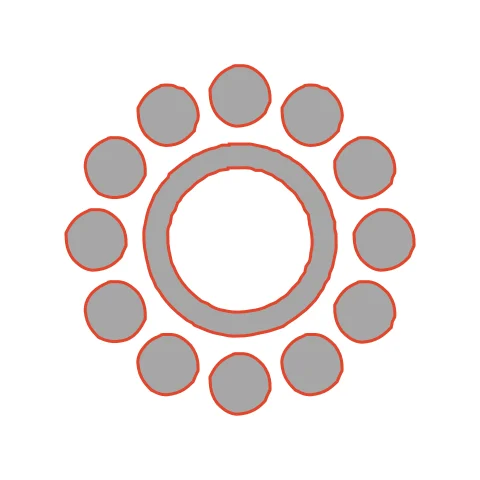
Mandalas with many round holes test the minimum-hole filter: holes large enough to weed are kept, specks are dropped. Each of the 12 dots and the ring traces as an independent closed shape, which Silhouette Studio lists separately in the Cut Settings panel. Use the default speck filter so stray pixels between the dots disappear.
How to convert PNG to SVG for Silhouette
- Open CutVector and drop your PNG file (or several at once). If your PNG has a transparent background, leave it — CutVector flattens transparency to white and ignores it automatically.
- Pick the Cricut cut preset — clean layered shapes for vinyl & htv.
- Switch to the Cut lines view and check every outline is where you expect. Adjust Smoothing, Ignore specks or Min hole area if needed.
- Set Output width to the finished size, then download the SVG.
- In Silhouette Studio use File → Open (or Import) and pick the DXF or SVG. DXF shapes come in as cut lines; set the cut style to “Cut” if needed.
Recommended settings
| Preset | Cricut cut (works the same for Silhouette) |
|---|---|
| Format | DXF on Basic Edition, SVG on Designer+ |
| Smoothing | 6–8 for fewer nodes and cleaner blade paths |
Works great for
- Cameo and Portrait vinyl projects
- Stencils for painting
- Paper crafts and card toppers
Not a good fit
- Detailed photos
- Tiny text under 5 mm tall
FAQ
How do I cut a mandala on a Silhouette Cameo without tearing?
Raise Min hole area to 2–3 mm² so tiny islands are removed, and use a fresh blade at a slower speed.
Should I use the Silhouette ratchet blade or AutoBlade for small holes?
Either works; what matters is depth. For dots under 5 mm, slow the speed to 3 and add a second pass on thicker materials.
Do I need Silhouette Designer Edition?
Not with CutVector: Basic Edition opens DXF files. Export DXF and open it with File → Open.
My DXF opened in Silhouette Studio at the wrong size.
In Preferences → Import, make sure DXF units are millimeters, then re-open the file.
Does a transparent PNG background matter?
No. Transparent pixels are treated as empty space, so only your artwork becomes cut paths. You never get a rectangle around the design.
What resolution should my PNG be?
Aim for at least 800 px on the long side. Small PNGs (under 300 px) trace with wobbly edges because there are too few pixels to describe a smooth curve.
Cricut and Design Space are trademarks of Cricut, Inc.; Silhouette, Glowforge, xTool and LightBurn are trademarks of their respective owners. CutVector is an independent tool and is not affiliated with or endorsed by them.
Only convert images you own or have permission to use. See Terms.