Guides / JPG to SVG for Stickers (print then cut)
JPG to SVG for Stickers (print then cut)
JPG files are compressed, which leaves faint blocks and halos around edges. CutVector filters that noise before tracing so you get smooth shapes instead of hundreds of tiny specks. Stickers need two things: the full-color art and a cut line around it. The Sticker preset keeps up to 12 colors and adds a smooth, magenta offset contour around the whole design.
Convert your JPG now — free Runs in your browser. Files never leave your device.
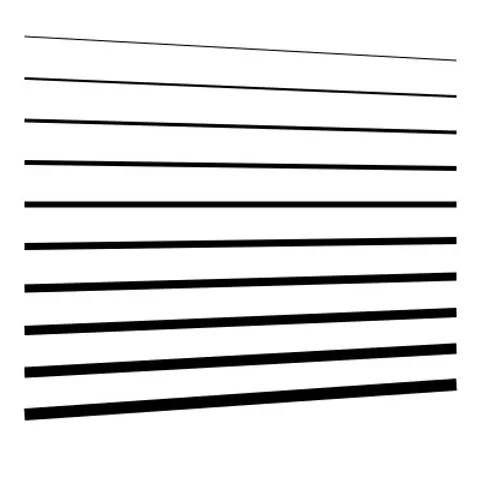
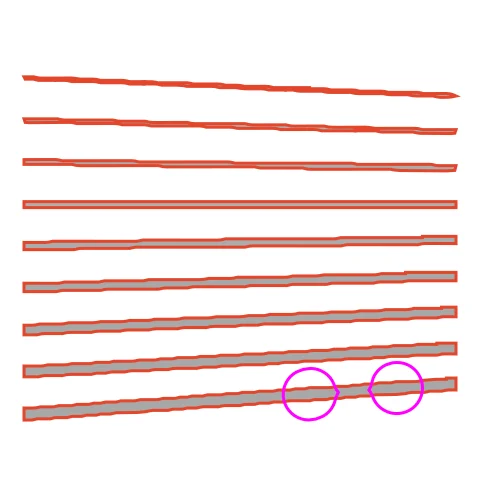
Thin lines of varying width show how the speck filter and color count keep detail while keeping the sticker printable. The contour wraps the whole set of lines, so they print as one sticker sheet. Lower Colors if your printer bands the thin lines.
How to convert JPG to SVG for Stickers (print then cut)
- Open CutVector and drop your JPG file (or several at once). Raise “Ignore specks” to 6–10 px for heavily compressed JPGs, phone photos of sketches, or screenshots.
- Pick the Sticker preset — color art plus a print-then-cut contour.
- Switch to the Cut lines view and check every outline is where you expect. Adjust Smoothing, Ignore specks or Min hole area if needed.
- Set Output width to the finished size, then download the SVG.
- Import the SVG into Design Space or Silhouette Studio, set the art layers to Print and the magenta “cut-contour” layer to Cut, then print and cut.
Recommended settings
| Preset | Sticker |
|---|---|
| Sticker contour | 2–4 mm white border |
| Colors | 4–8 for flat illustration styles |
Works great for
- Die-cut vinyl stickers
- Planner stickers
- Labels for handmade products
Not a good fit
- Busy photos with no clear edge
- Designs where elements are far apart (each becomes its own sticker)
FAQ
My lines are too thin to cut — is that a problem for stickers?
No: only the outer contour is cut. Thin interior lines are printed, so they can be as fine as your printer allows.
Can I make a sticker sheet with several designs?
Place the designs a bit apart in one image; each becomes its own contour as long as gaps exceed twice the border width.
How wide should the sticker border be?
2–3 mm hides small print-to-cut misalignment; 4 mm or more gives the bold “die-cut” look.
Why is the contour one shape around everything?
Elements closer than twice the border width merge into one sticker. Move parts further apart in your image if you want separate stickers.
Why does my JPG produce lots of tiny dots?
Those are JPEG compression artifacts. Increase “Ignore specks” and “Min hole area”; both remove fragments that are too small to weed or cut anyway.
Can I convert a photo taken with my phone?
Yes, if it is a high-contrast drawing or print photographed in even light. Fill the frame, avoid shadows, and use a single-color preset with automatic threshold.
Cricut and Design Space are trademarks of Cricut, Inc.; Silhouette, Glowforge, xTool and LightBurn are trademarks of their respective owners. CutVector is an independent tool and is not affiliated with or endorsed by them.
Only convert images you own or have permission to use. See Terms.