Guides / WebP to SVG for Stickers (print then cut)
WebP to SVG for Stickers (print then cut)
Many design marketplaces and websites now deliver images as WebP. Most cutting software cannot open WebP at all — CutVector reads it directly and gives you a standard SVG. Stickers need two things: the full-color art and a cut line around it. The Sticker preset keeps up to 12 colors and adds a smooth, magenta offset contour around the whole design.
Convert your WebP now — free Runs in your browser. Files never leave your device.

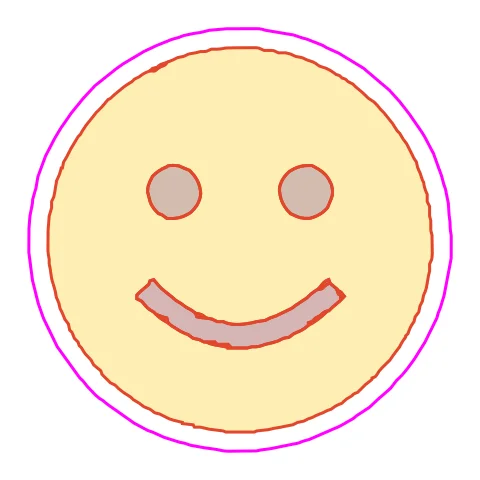
Flat-color emoji art is the sweet spot for the Sticker preset: few colors, bold shapes, one round contour. The face traces into four flat colors with one round contour. Six colors is enough here; more would only add antialias edge shades.
How to convert WebP to SVG for Stickers (print then cut)
- Open CutVector and drop your WebP file (or several at once). No need to convert WebP to PNG first; drop the .webp file straight in. Animated WebP uses the first frame.
- Pick the Sticker preset — color art plus a print-then-cut contour.
- Switch to the Cut lines view and check every outline is where you expect. Adjust Smoothing, Ignore specks or Min hole area if needed.
- Set Output width to the finished size, then download the SVG.
- Import the SVG into Design Space or Silhouette Studio, set the art layers to Print and the magenta “cut-contour” layer to Cut, then print and cut.
Recommended settings
| Preset | Sticker |
|---|---|
| Sticker contour | 2–4 mm white border |
| Colors | 4–8 for flat illustration styles |
Works great for
- Die-cut vinyl stickers
- Planner stickers
- Labels for handmade products
Not a good fit
- Busy photos with no clear edge
- Designs where elements are far apart (each becomes its own sticker)
FAQ
How many colors can a sticker SVG have?
Up to 12 in CutVector. Flat illustration styles usually look best at 4–8.
Glossy or matte sticker paper for print then cut?
Both work; matte sensors read registration marks more reliably on many machines. Glossy may need a matte tape over marks.
How wide should the sticker border be?
2–3 mm hides small print-to-cut misalignment; 4 mm or more gives the bold “die-cut” look.
Why is the contour one shape around everything?
Elements closer than twice the border width merge into one sticker. Move parts further apart in your image if you want separate stickers.
Why can’t Design Space open my WebP file?
Cutting apps accept SVG, DXF, PNG and JPG but generally not WebP. Converting it to SVG with CutVector skips the extra PNG step and gives you cut lines in one go.
Is lossy WebP as noisy as JPG?
Usually less. Start with the default speck filter and only raise it if you see stray dots in the “Cut lines” view.
Cricut and Design Space are trademarks of Cricut, Inc.; Silhouette, Glowforge, xTool and LightBurn are trademarks of their respective owners. CutVector is an independent tool and is not affiliated with or endorsed by them.
Only convert images you own or have permission to use. See Terms.