Guides / PNG to DXF for Laser cutters (xTool, LightBurn)
PNG to DXF for Laser cutters (xTool, LightBurn)
DXF is the CAD exchange format laser and CNC software trusts most. CutVector writes closed LWPOLYLINE shapes in millimeters, one layer per color, so nothing imports at the wrong scale. Diode and CO2 laser software — LightBurn, xTool Creative Space, LaserGRBL — needs closed, non-overlapping shapes to cut cleanly and to fill evenly when engraving.
Convert your PNG now — free Runs in your browser. Files never leave your device.
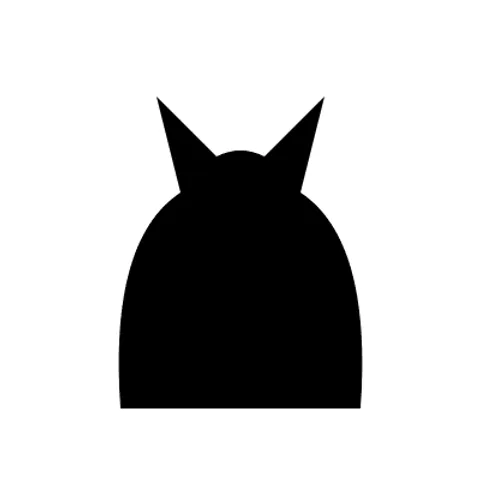
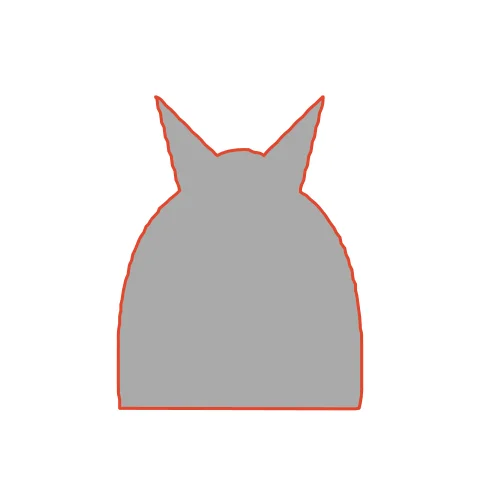
A single-piece cat silhouette with kerf compensation cuts out of 3 mm plywood at exactly the size you set. The ears and tail are part of one outline, so the cat drops out as one piece. With kerf set, a 100 mm export measures 100 mm after cutting.
How to convert PNG to DXF for Laser cutters (xTool, LightBurn)
- Open CutVector and drop your PNG file (or several at once). Set “Output width” to the real size you want to cut — DXF files carry millimeter units, so the size you set is the size that imports.
- Pick the Laser cut preset — one welded cut path, kerf-compensated.
- Switch to the Cut lines view and check every outline is where you expect. Adjust Smoothing, Ignore specks or Min hole area if needed.
- Set Output width to the finished size, then download the DXF.
- In LightBurn use File → Import (Ctrl+I); in xTool Creative Space drag the file onto the canvas. Assign the layer to Cut or Fill and set power/speed.
Recommended settings
| Preset | Laser cut (welded, kerf-compensated) or Laser engrave |
|---|---|
| Kerf | Measure: cut a 20 mm square, subtract its measured size |
| Smoothing | 7+ for smooth motion and faster cuts |
Works great for
- Plywood and MDF cut-outs
- Acrylic signs and inlays
- Leather patches
- Engraved slate and tumblers
Not a good fit
- Photos (use your laser software’s dithering instead)
- Shapes thinner than your kerf
FAQ
What kerf should I use for a 10 W diode laser on 3 mm plywood?
Typically 0.1–0.15 mm. Measure a test square for your exact machine and material.
How do I cut the cat from 3 mm plywood in LightBurn?
Import the DXF, set the layer to Line mode, and start with your plywood preset; check the first cut with calipers.
How do I measure my laser’s kerf?
Cut a 20 mm square from your material and measure it with calipers. If it measures 19.8 mm, your kerf is 0.2 mm — enter that in CutVector.
LightBurn says my shapes are open. What do I do?
CutVector always exports closed shapes. If you edited the file elsewhere, re-export from CutVector, or use Edit → Close Selected Paths in LightBurn.
What DXF version and entities does CutVector export?
An AutoCAD-compatible DXF with closed LWPOLYLINE entities, millimeter units ($INSUNITS = 4) and one named layer per color. No splines, which some laser software handles poorly.
My DXF imports tiny or huge. Why?
Some programs ignore DXF units and assume inches. Check the import unit setting is millimeters; CutVector always writes mm.
Cricut and Design Space are trademarks of Cricut, Inc.; Silhouette, Glowforge, xTool and LightBurn are trademarks of their respective owners. CutVector is an independent tool and is not affiliated with or endorsed by them.
Only convert images you own or have permission to use. See Terms.