Guides / PNG to DXF for Etsy cut-file sellers
PNG to DXF for Etsy cut-file sellers
DXF is the CAD exchange format laser and CNC software trusts most. CutVector writes closed LWPOLYLINE shapes in millimeters, one layer per color, so nothing imports at the wrong scale. Selling cut files on Etsy means one design has to work in Cricut, Silhouette, Glowforge and LightBurn. CutVector exports SVG, DXF and PDF from the same trace so your bundle opens everywhere.
Convert your PNG now — free Runs in your browser. Files never leave your device.
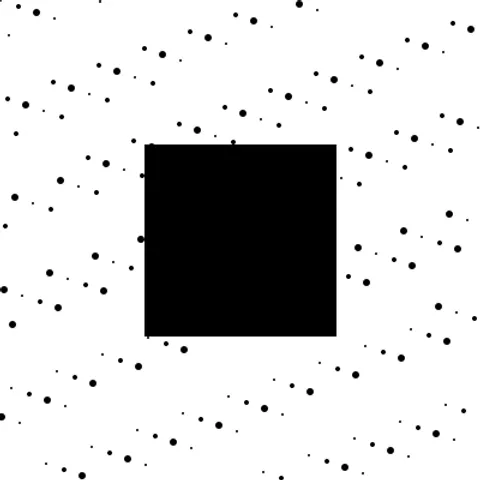
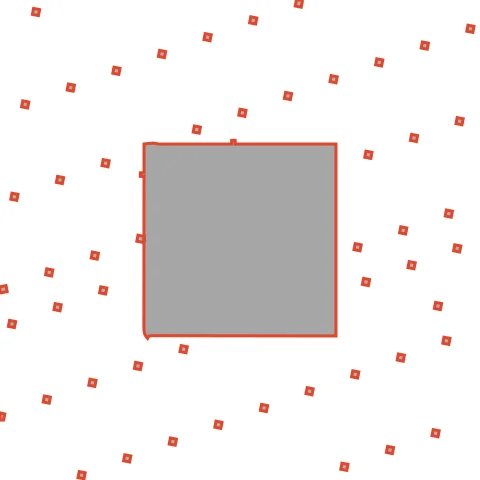
Distressed textures produce many tiny islands; raise Min hole area so the DXF you sell does not frustrate buyers. Without filtering, this texture produces hundreds of tiny islands; at Min hole area 2 mm² most disappear while the main square stays sharp. Buyers appreciate files that do not choke their software.
How to convert PNG to DXF for Etsy cut-file sellers
- Open CutVector and drop your PNG file (or several at once). Set “Output width” to the real size you want to cut — DXF files carry millimeter units, so the size you set is the size that imports.
- Pick the Cricut cut preset — clean layered shapes for vinyl & htv.
- Switch to the Cut lines view and check every outline is where you expect. Adjust Smoothing, Ignore specks or Min hole area if needed.
- Set Output width to the finished size, then download the DXF.
- Use Batch ZIP to export every design as SVG, DXF and PDF at once, then upload the ZIP as your listing’s digital file.
Recommended settings
| Preset | Cricut cut for vinyl bundles, Laser cut for laser bundles |
|---|---|
| Batch | Pro: up to 50 images → one ZIP of SVG + DXF + PDF |
| Output width | Match the size you advertise in the listing |
Works great for
- Original hand-drawn designs
- Your own lettering and quotes
- Commissioned art you have rights to resell
Not a good fit
- Characters, team logos or brand marks you do not own
- Designs traced from other sellers
FAQ
Should my Etsy listing include DXF?
Yes — Silhouette Basic users can only open DXF, and laser buyers often prefer it. It costs you nothing to include.
How many nodes is too many for a cut file I sell?
A few thousand per design is fine. If Cricut or Silhouette lags, raise Smoothing and Ignore specks and re-export.
Can I sell files I make with CutVector?
Yes — the output is yours, provided the source image is yours or licensed for resale. Converting someone else’s design does not give you the right to sell it.
Which formats should an Etsy cut-file bundle include?
SVG (Cricut, Glowforge), DXF (Silhouette Basic, LightBurn) and PDF covers nearly every buyer. Many sellers add a PNG preview too.
What DXF version and entities does CutVector export?
An AutoCAD-compatible DXF with closed LWPOLYLINE entities, millimeter units ($INSUNITS = 4) and one named layer per color. No splines, which some laser software handles poorly.
My DXF imports tiny or huge. Why?
Some programs ignore DXF units and assume inches. Check the import unit setting is millimeters; CutVector always writes mm.
Cricut and Design Space are trademarks of Cricut, Inc.; Silhouette, Glowforge, xTool and LightBurn are trademarks of their respective owners. CutVector is an independent tool and is not affiliated with or endorsed by them.
Only convert images you own or have permission to use. See Terms.