Guides / Logo to SVG for Glowforge
Logo to SVG for Glowforge
A logo needs crisp, symmetrical edges more than any other graphic. The Single-color logo preset smooths curves aggressively, welds touching letters, and keeps counters (the holes in A, O, R) intact. Glowforge’s browser app treats each color in an SVG or PDF as a separate step you can set to cut, score or engrave.
Convert your Logo now — free Runs in your browser. Files never leave your device.

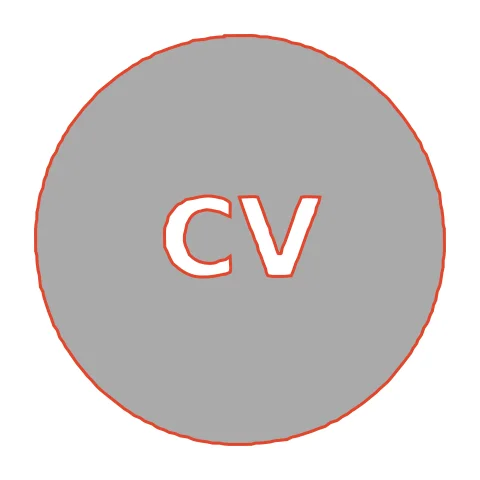
Badge logos with knocked-out text become an engraved disc with the letters left raw — or a cut-out badge when exported with Weld. The letters stay as holes in the disc, so engraving the disc leaves them as raw wood. Swap to Weld + Laser cut if you want a cut-out badge instead.
How to convert Logo to SVG for Glowforge
- Open CutVector and drop your Logo file (or several at once). Use the largest version of the logo you have; a 2000 px PNG export beats a 200 px favicon every time.
- Pick the Laser cut preset — one welded cut path, kerf-compensated.
- Switch to the Cut lines view and check every outline is where you expect. Adjust Smoothing, Ignore specks or Min hole area if needed.
- Set Output width to the finished size, then download the SVG.
- In the Glowforge app click Upload, choose the SVG or PDF and place it on the material. Assign each color step to Cut, Score or Engrave.
Recommended settings
| Preset | Laser cut for cut-outs, Laser engrave for fills |
|---|---|
| Kerf | 0.1–0.2 mm on 3 mm Proofgrade plywood |
| Colors | Use 2+ to get separate cut/engrave steps |
Works great for
- Wood and acrylic signs
- Ornaments and keychains
- Engraved logos on cutting boards
Not a good fit
- Images with lots of tiny islands (they fall out)
- Unwelded overlapping text
FAQ
Can I engrave a logo onto a wooden coaster with Glowforge?
Yes. Use Laser engrave, set Output width to the coaster’s diameter minus 10 mm, and center it in the Glowforge app.
How do I avoid charring around a cut-out badge?
Use masking on the material and the Proofgrade settings, and remove the masking right after cutting while it is still warm.
How do I make Glowforge cut the outline and engrave the inside?
Export with 2 colors. Glowforge lists each color as its own step — set the outer one to Cut and the inner one to Engrave.
Why does my Glowforge piece come out slightly small?
The beam removes material. Set Kerf to about 0.15 mm so CutVector grows the outline by half that amount and parts fit true to size.
Will the holes inside letters be kept?
Yes. Counters in letters like A, B, O and R stay as holes. Only holes smaller than “Min hole area” are removed — lower it if a tiny counter disappears.
Can I use the SVG for my business signage?
Yes, if you own the logo or have permission. Do not convert logos belonging to other brands — see our Terms.
Cricut and Design Space are trademarks of Cricut, Inc.; Silhouette, Glowforge, xTool and LightBurn are trademarks of their respective owners. CutVector is an independent tool and is not affiliated with or endorsed by them.
Only convert images you own or have permission to use. See Terms.